


Though these AI-generated comments may seem innocent at first, they usually have a secret agenda.
A number of our clients publish stories and reflections that welcome comments. All in all, this has worked out well for them! Over the years, website visitors have shared reactions, gratitude, and questions via the posts’ comment feature. And we set up tools to dispose of obvious spam comments automatically.
But lately, we’ve noticed a trend of spam AI-slop comments that evade these spam filters. 🙁 Instead of hawking prescription drugs and online gambling like the more obvious spammers do, these comments use AI tools to sneak in by seeming human.
Some general clues that a comment is not from a real person include:
This example comment from a client’s WordPress site shows all three of these things in action. At first glance it appears to be very thoughtfully engaging with the story about food insecurity. But it’s very wordy, it asks a question at the end (sometimes called “engagement farming”) … and its associated linked website is to a payday loans site nowhere near the client’s location. Spammy!
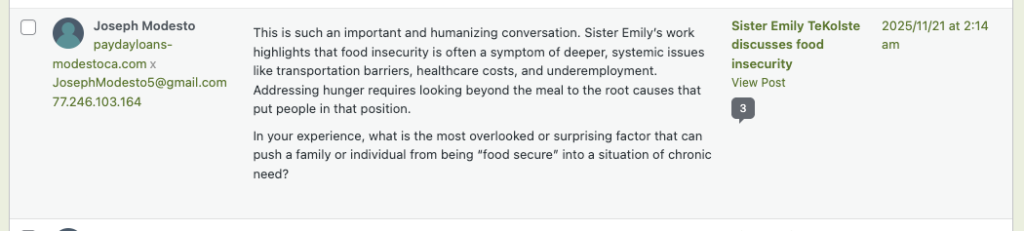
You have two choices of how to handle this in your WordPress site.
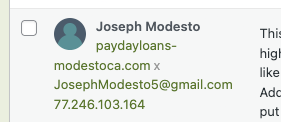
Use the little “X” after the URL below the commenter’s name to remove the dumb URL from the comment. This way, it will not show as a link on the front end of your website, and the commenter/bot doesn’t get to use your website to improve their URL’s trustworthiness.
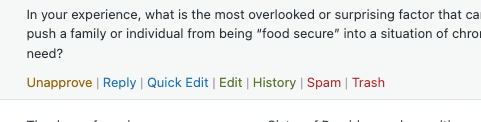
It’s often the better choice to trash the comment entirely. It was not written by a real person, so do you really want to publish it on your website? Mark as spam and move on.
(If the comment was previously approved but now you want to trash it, hover over the comment and choose “Trash.”)
Some spam comments in particular bring no real value to the site, like this one:

Trash them! You got this!
Top photo by Steve A Johnson on Unsplash